The better your prompt, the better your site. Learn how to communicate with the AI so it builds exactly what you have in mind.
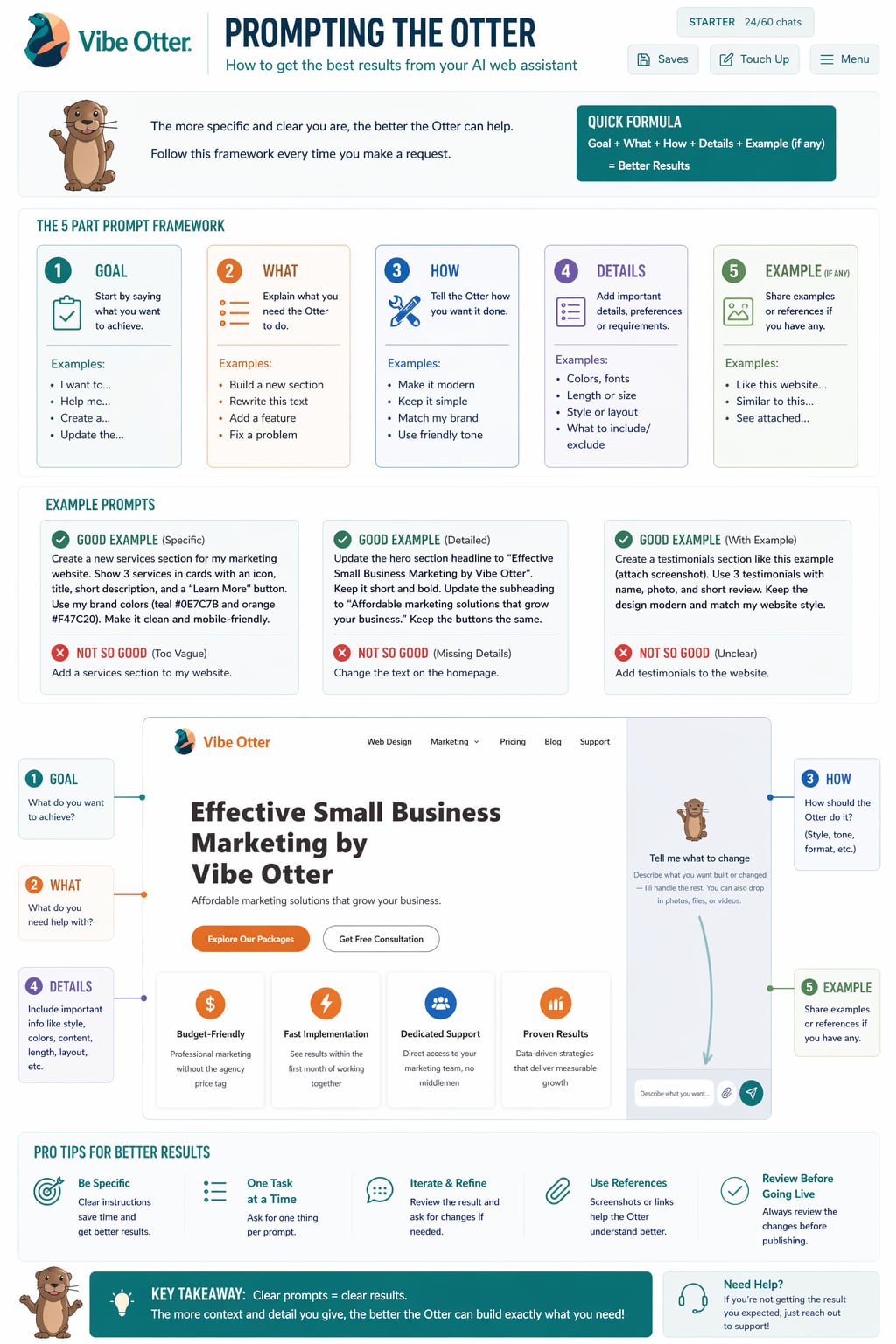
These tips will help you get better results faster every time you chat with the AI.
Instead of "make it look better," say "change the hero background to dark navy and make the heading font size larger." Details matter.
Tell the AI what you want to see, not just what to change. "I want a clean, modern homepage with a big hero image and three service cards below it."
Mention websites you like. "Make it look similar to Apple.com — minimal, lots of white space, large product images." The AI understands references.
For complex changes, break them into steps. "First, change the color scheme. Then, update the navigation. Then, add a contact form." Easier to control.
Paste your actual text, business name, and details directly into the chat. The AI will use your real content instead of placeholder text.
Don't expect perfection on the first try. Build on each response. "That's good — now make the button bigger and change the color to orange."
See the difference a well-written prompt makes.
"Make my site look nicer and add some stuff to the homepage."
"Add a hero section with a dark background, a bold white headline that says 'We Build Websites Fast', and a green button that says 'Get Started'."
"I run a plumbing business called Quick Fix Plumbing. Build me a homepage with a hero that says 'Fast, Reliable Plumbing in Austin TX', a phone number button, and a 3-column section listing our services: Drain Cleaning, Water Heaters, Emergency Repairs."
Open your dashboard and start chatting with the AI. Use these tips and watch the results improve.
Open Dashboard › View All GuidesAsk me anything