New to Vibe Otter or just stuck? Browse our friendly guides, search any topic, or try the Prompt Reviewer to sharpen your ideas instantly.
Everything you need to log in, find your dashboard, and build your first site in minutes.
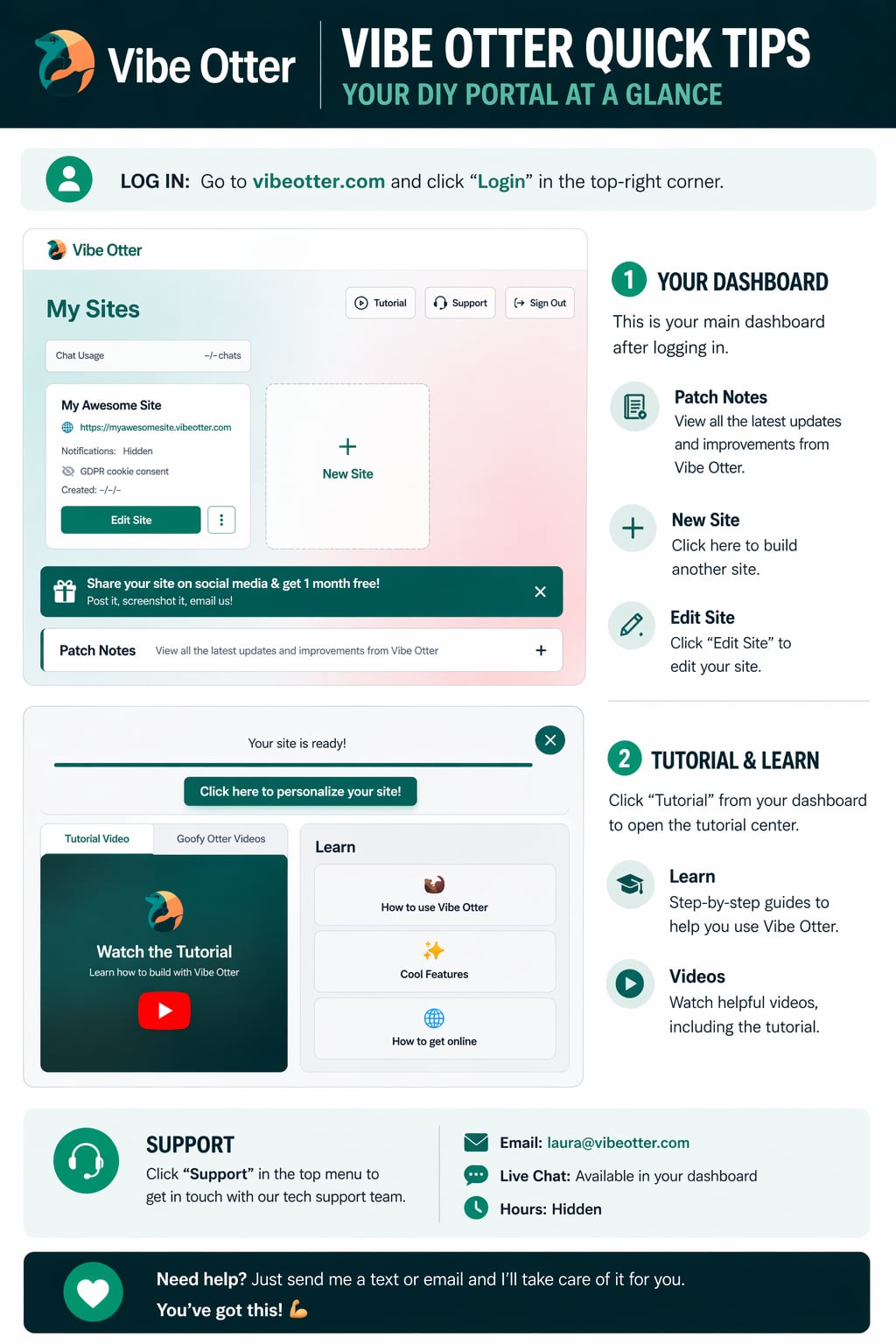
Go to vibeotter.com and click Login in the top-right corner. Use your email and password to sign in.
After logging in, you'll land on your main dashboard where all your sites are listed. Create, edit, and manage everything from here.
Click New Site to build something new, or click Edit Site on any existing site to make changes using the AI chat.
Click Tutorial from your dashboard to open the tutorial center. Watch videos and read step-by-step guides to learn fast.
Click any guide to read the full walkthrough with screenshots and tips.
Navigate your dashboard, manage your sites, track chat usage, and find the Tutorial center — all in one place.
Read guide ›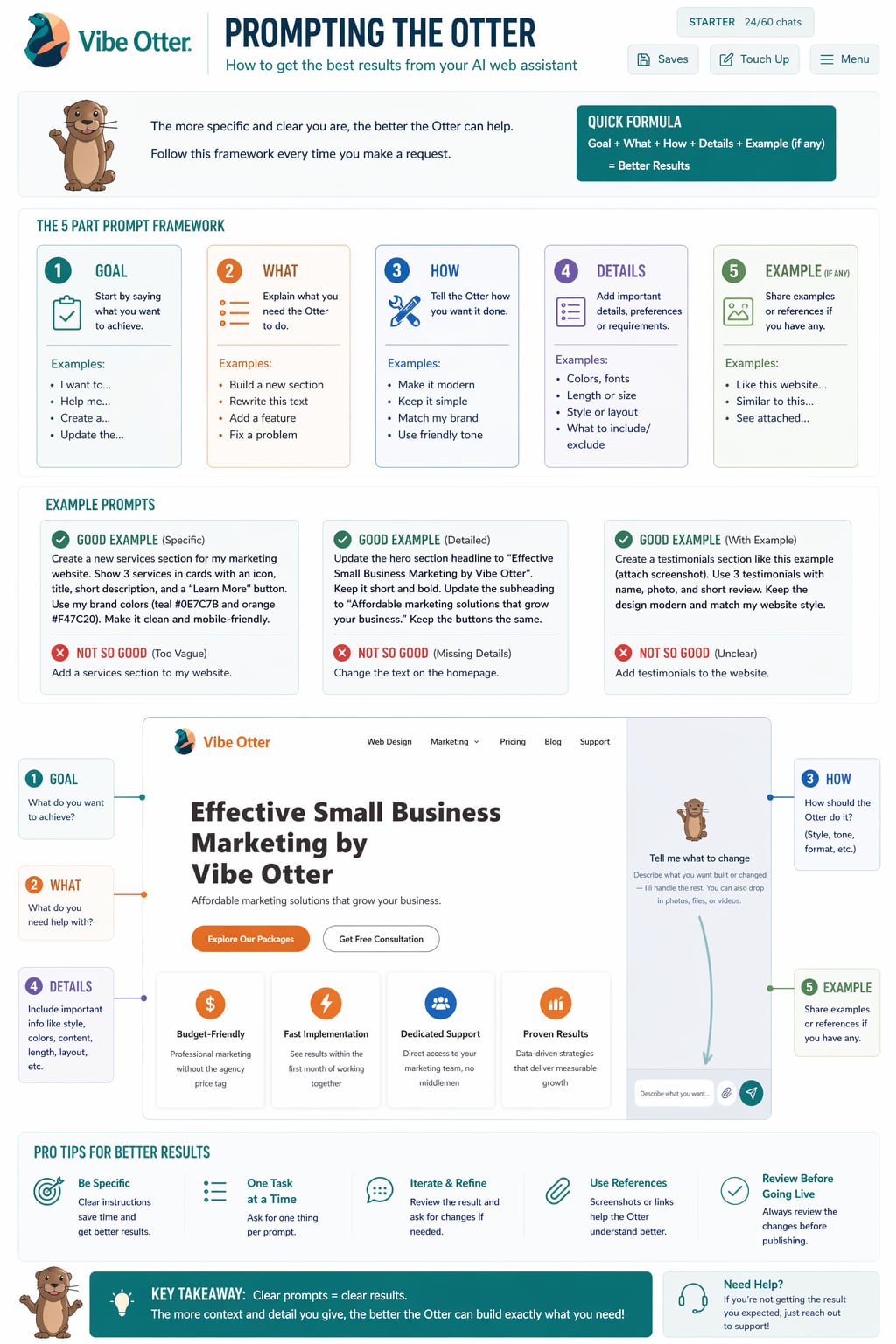
Learn how to write great prompts so Vibe Otter builds exactly what you have in mind. Tips, examples, and best practices.
Read guide ›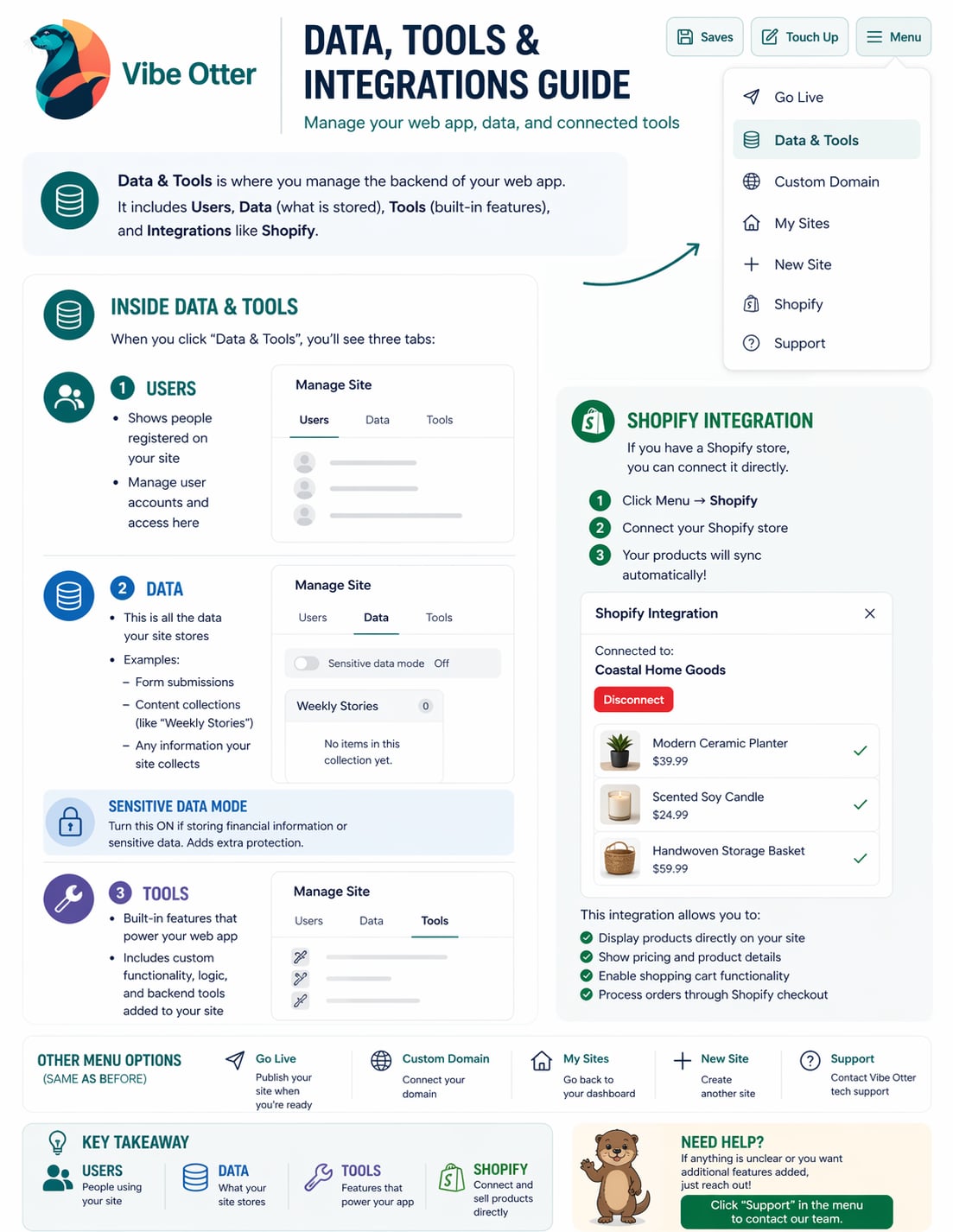
Add bookings, user logins, data collections, admin dashboards, and more to your Vibe Otter site.
Read guide ›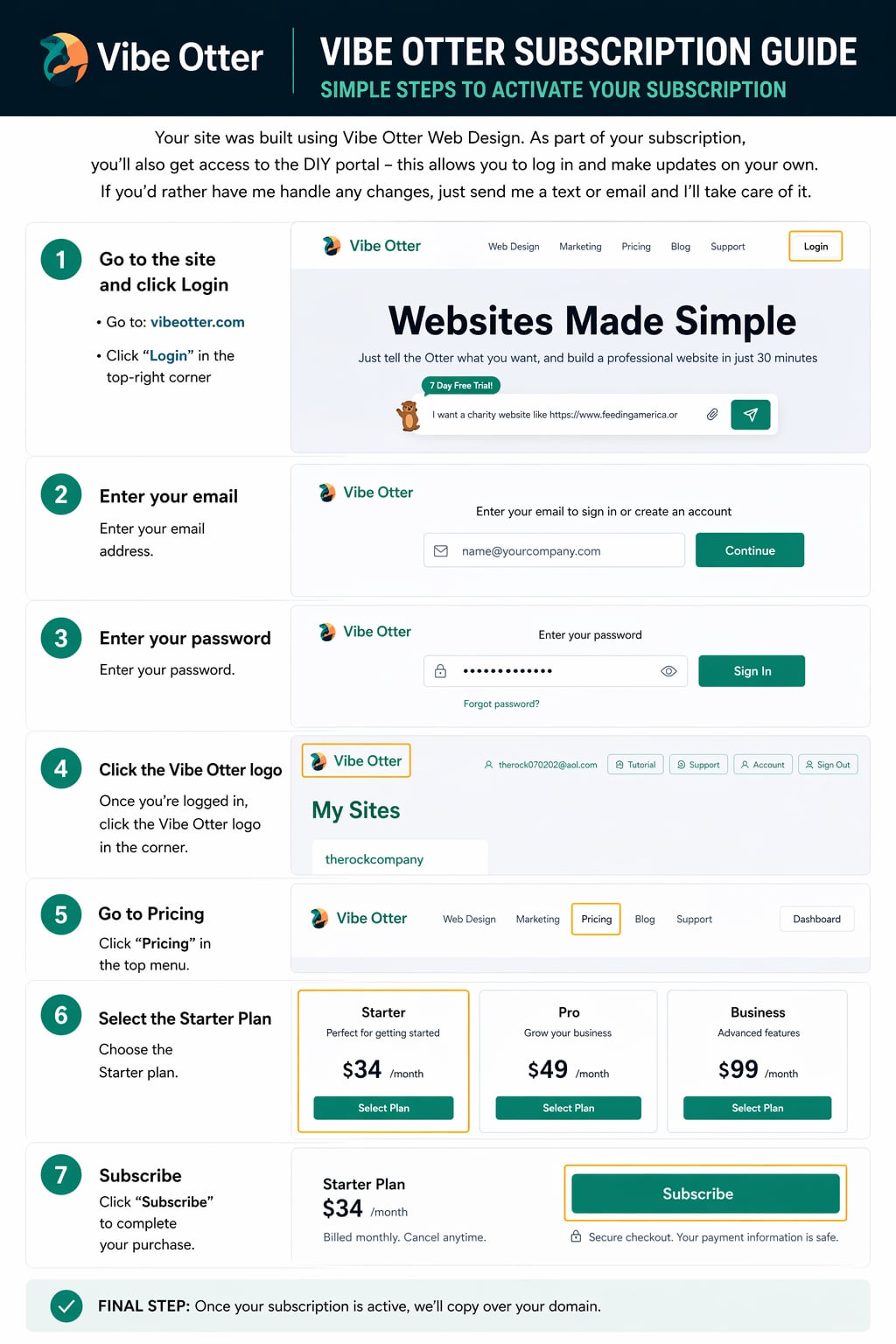
Understand your plan, manage billing, upgrade or cancel, and learn about free month promotions and chat usage limits.
Read guide ›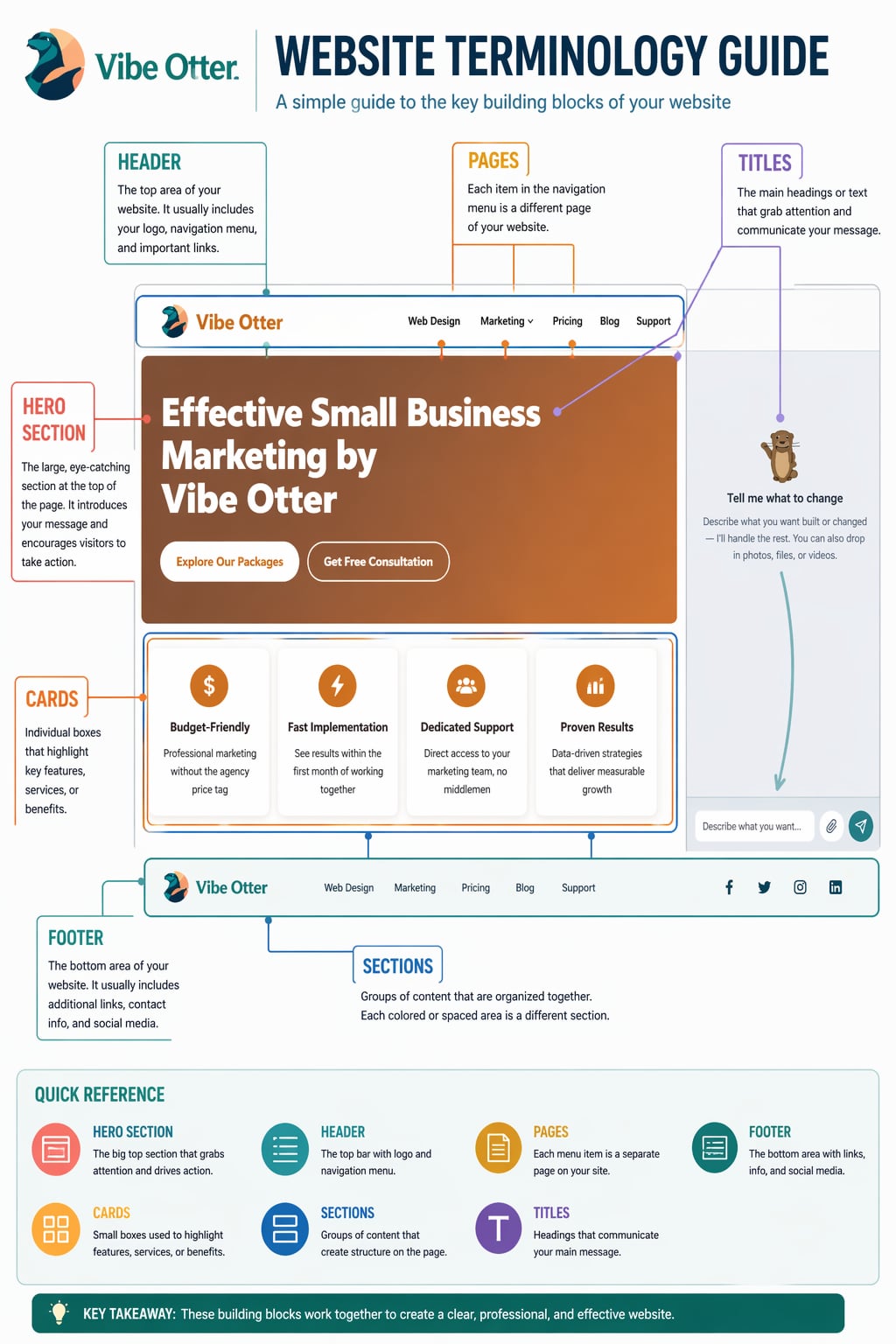
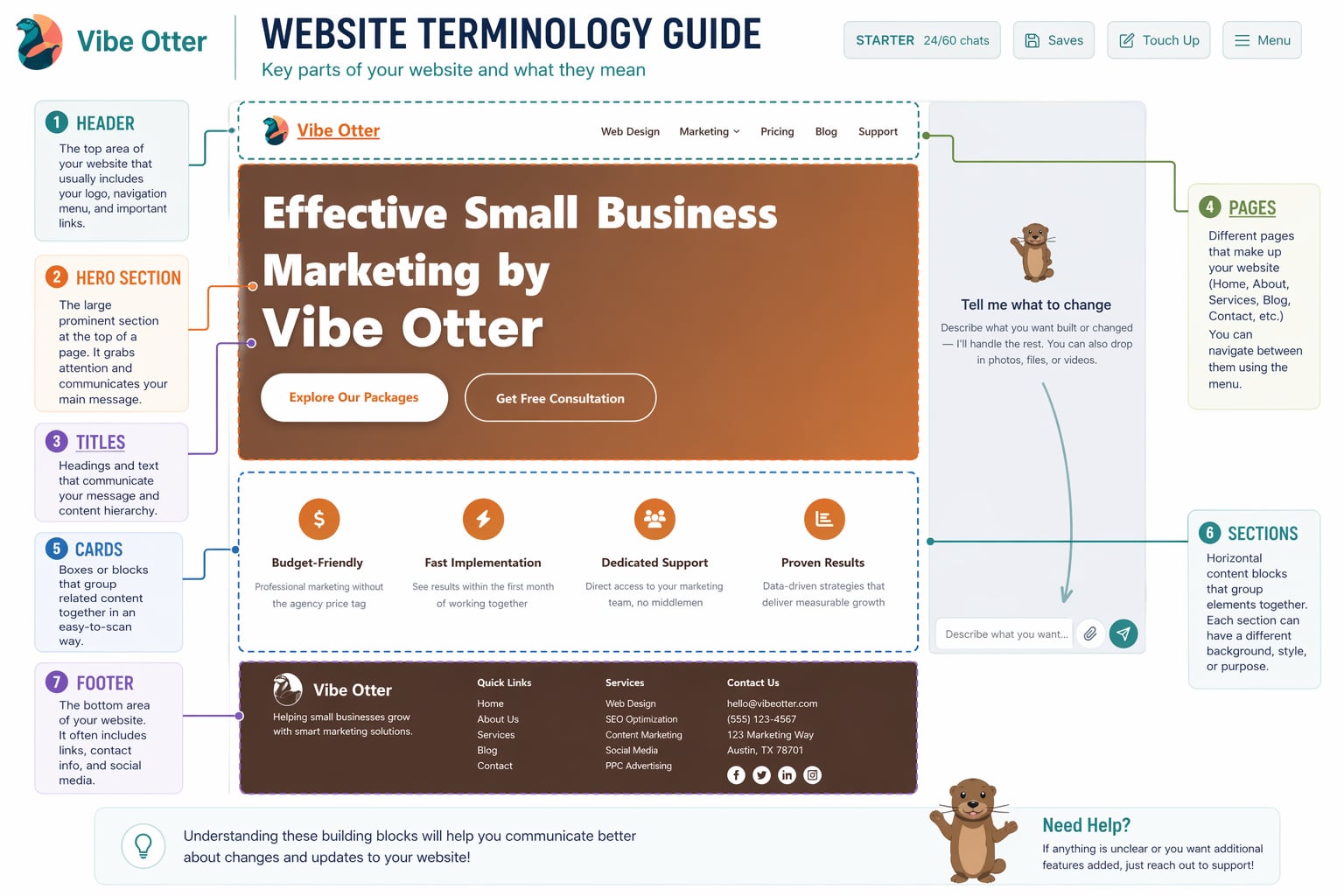
New to websites? This guide explains common web terms in plain English — domain, hosting, SSL, SEO, CMS, and more.
Read guide ›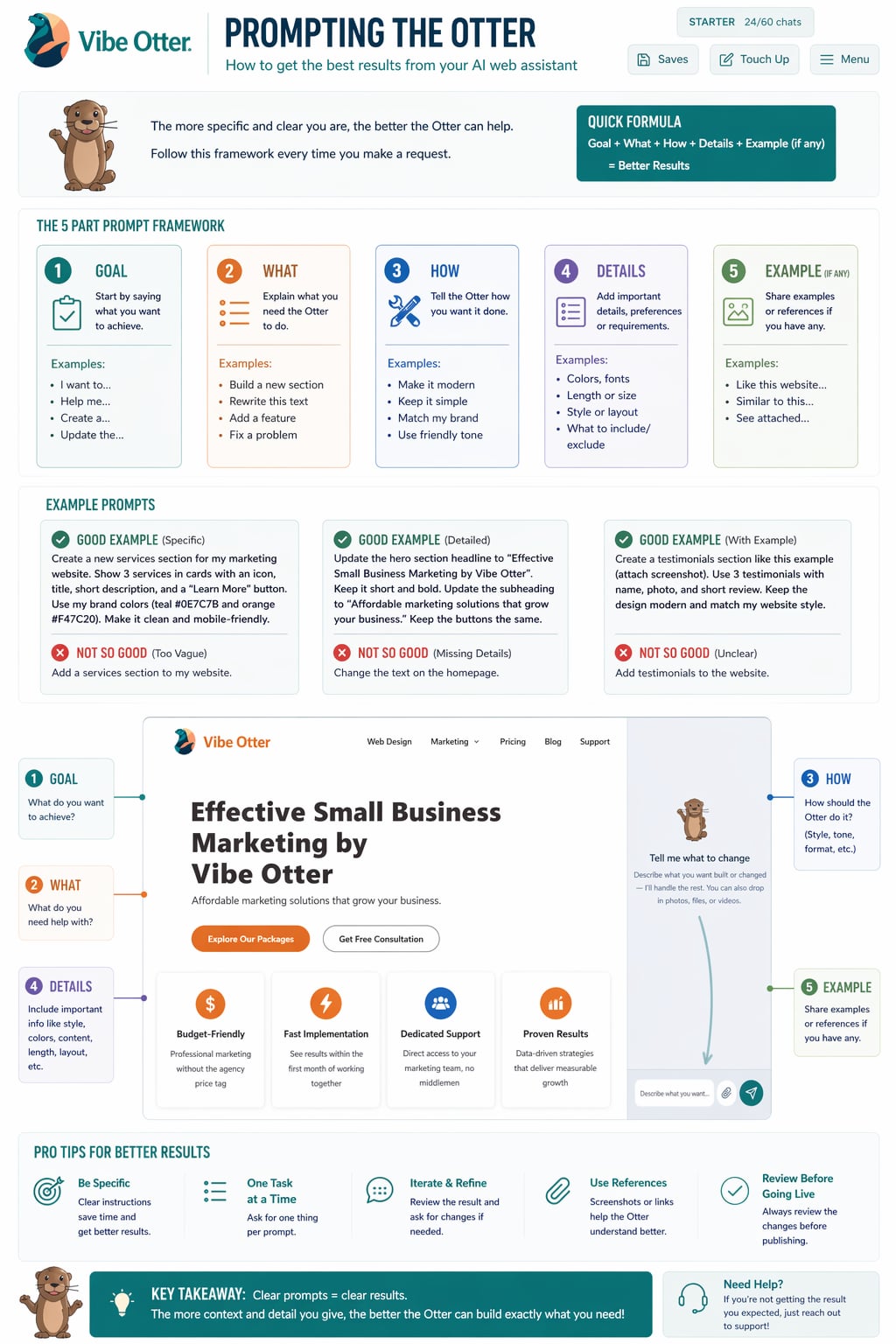
Your complete prompting resource — from writing your first prompt to advanced animations, carousels, Ken Burns effects, galleries, and more.
Read guide ›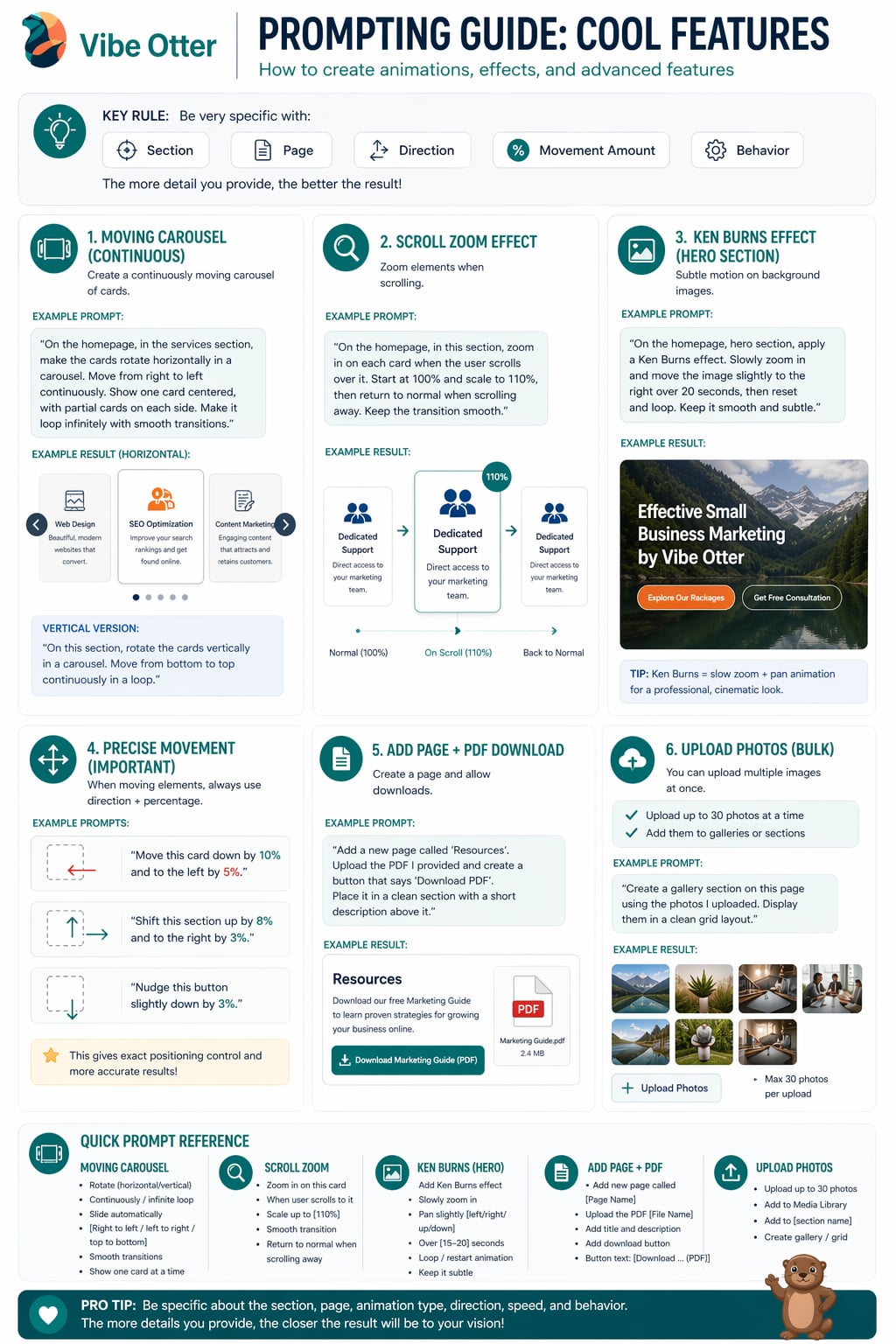
Carousels, Ken Burns hero animations, scroll zoom, PDF downloads, photo galleries, and precise element positioning — all via the AI chat.
Read guide ›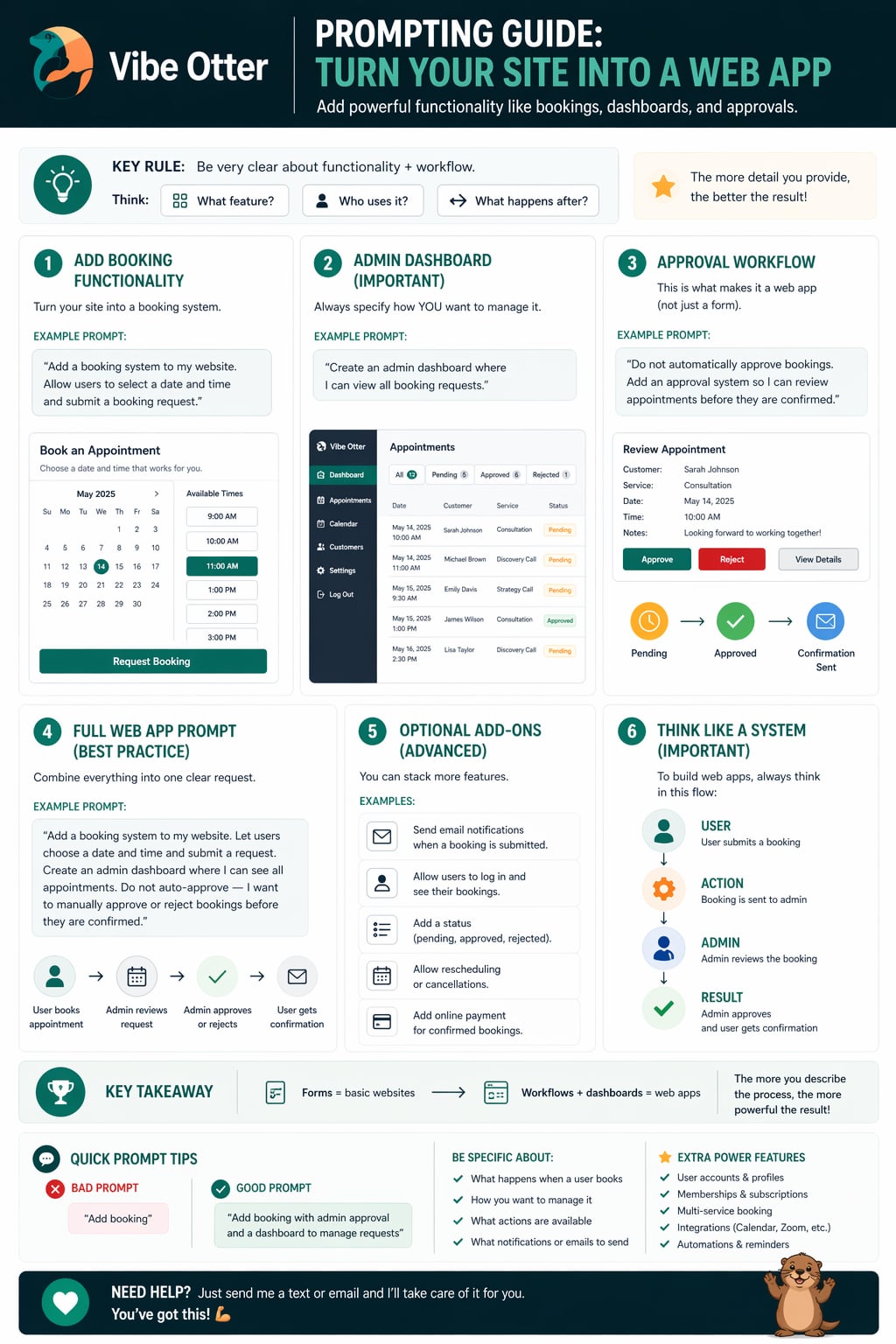
Exact prompts to use when building bookings, user logins, admin dashboards, reviews, directories, and more — copy and paste ready.
Read guide ›Quick answers to the most common questions about Vibe Otter.
Go to vibeotter.com and click Login in the top-right corner. Enter your email and password. If you forgot your password, use the "Forgot Password" link on the login page.
From your dashboard, find the site you want to change and click Edit Site. This opens the AI chat where you describe what you want changed and Vibe Otter updates the site for you.
Be specific. Instead of "make it look better," try "change the background to dark blue and make the heading bigger." The more detail you give, the better the result. Check the AI Prompting Guide for full tips and examples.
Each time you send a message to the AI to build or edit your site, it uses one chat. Your plan includes a set number of chats per month. You can see how many you have left at the top of your dashboard. Upgrade your plan for more chats.
Share your site on social media, take a screenshot, and email it to nick@vibeotter.com. You'll get 1 month free added to your account!
Yes. Vibe Otter can add contact forms, booking systems, user login/accounts, admin dashboards, data collections, and much more. Just describe what you need in the chat and the AI will build it. See the Web Apps & Data Tools guide for examples.
You can manage your subscription from your account settings on the dashboard. If you need help, email support@vibeotter.com and the team will assist you.
Click Tutorial in the top navigation bar of your dashboard. You'll find step-by-step written guides, a full tutorial video, and fun "Goofy Otter" videos to help you learn.
Our team is here for you. Reach out any time and we'll take care of it.
Available inside your dashboard — click "Support" in the top menu.
Monday – Friday, 9am – 5pm PST
Just send a message and we'll take care of it. You've got this.
Ask me anything