Everything you need to know about navigating your Vibe Otter dashboard, managing your sites, and tracking your usage.
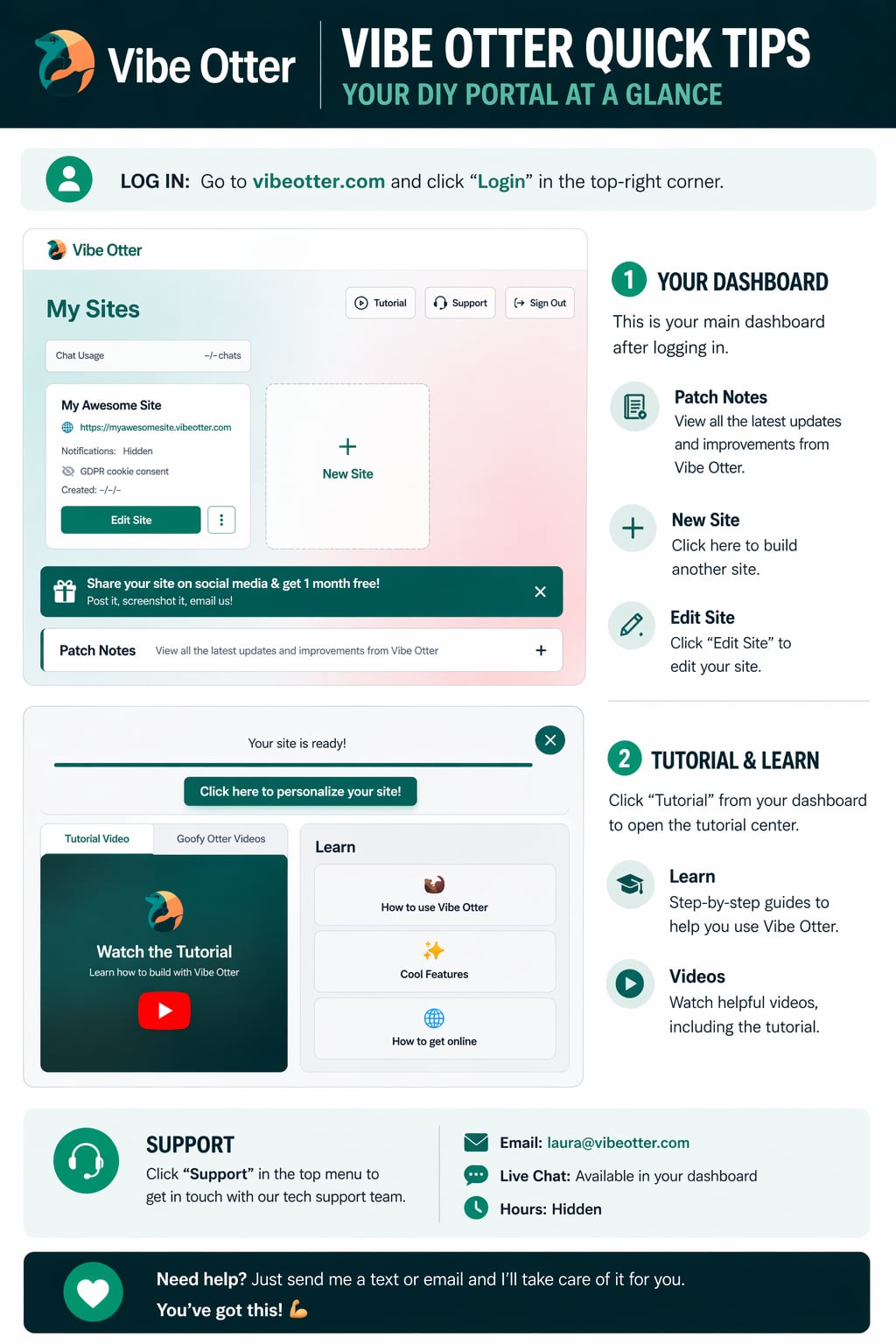
Your dashboard is command central. Here's what each part does.
All your websites are listed here. Click any site to preview it, edit it with the AI chat, or manage its settings.
See how many AI chats you've used this month and how many remain. Each message to the AI uses one chat credit.
Click "Tutorial" in the top nav to access step-by-step guides, tutorial videos, and Goofy Otter learning clips.
Click "New Site" to start a brand-new website. Just describe what you want and the AI builds it for you instantly.
Manage your profile, billing, and subscription from the account menu in the top-right corner of your dashboard.
Click "Support" in the top menu to open live chat and get help from the Vibe Otter team directly inside the app.
Head to your dashboard and start creating. The AI does the heavy lifting.
Open Dashboard › View All GuidesAsk me anything